



Synchronize Shopify Refunds to Airtable
Get all your store's refunds and easily manage your returns process (financial reporting, return reasons, restocking...) from Airtable without tech skills.
TRUSTED BY 500+ SHOPIFY MERCHANTS AROUND THE WORLD








Next-level Refunds synchronization
⚡️
Instant sync
As soon as a refund is issued in Shopify, it appears in Airtable. Perfect for real-time customer support.
🔁
2-way sync
Update refund notes or internal tracking statuses in Airtable. Keep your support and finance teams in sync.
➕
Create from Airtable
Create new Refund from Airtable in just a click.
30 seconds set up
Install the app
Get SyncBase on the Shopify App Store and pick a plan (10-day free trial with no engagement).


Connect to Airtable
Connect our app to your Airtable account in 1-click.
Configure your sync
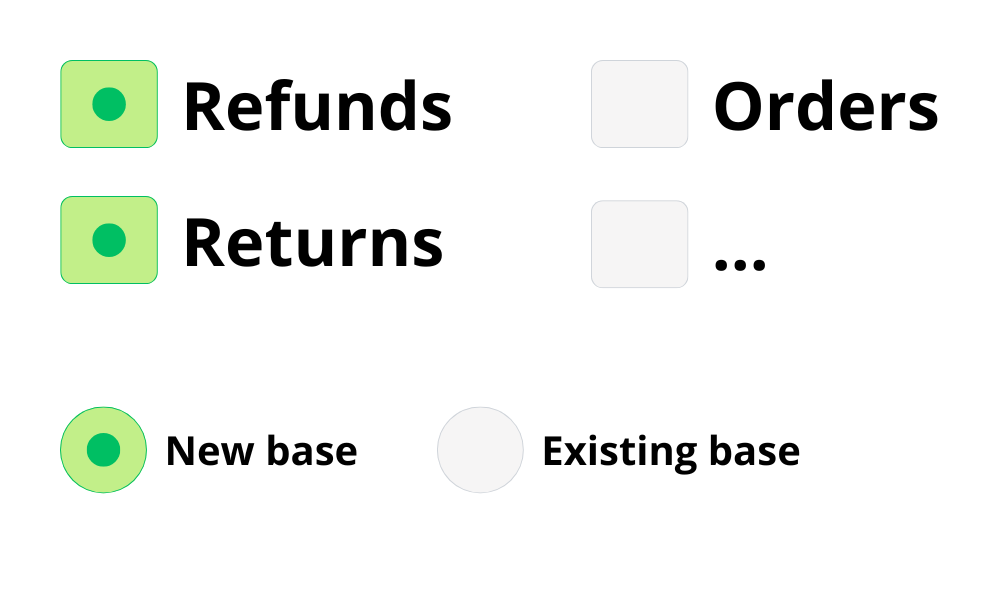
Choose which data to sync (or not) and if you want it into a brand new Airtable base or an existing one.
Manage, analyze & report!
We automatically generate your base. Start building your financial reports and returns dashboard directly in Airtable.
Great customers deserve a great app

It's perfect!
"Exceptional customer support combined with an easy to use app that does what it says it does. It's perfect!"
Incredible support
"Easy onboarding, minimal configuration required. It just works straight out the box. Incredible and friendly support when needed. Syncbase is a credit to Shopify. Love this app!"
Better than Airpower
"Just started using the app after a month with AirPower. What took 3 weeks in AirPower was almost instant in Syncbase."
Any question on Refunds sync?
Can I try SyncBase for free?

How do I sync my refunds?
No code skills needed! You just have to install our app on your Shopify store and connect your Airtable account. Then, you simply configure your synchronization in a few clicks (choose sync direction, select the data you want) and we automatically generate the Airtable-synced base for you.
How fast is the synchronization?
Data syncs in real-time (few seconds max). For more information, see our help center.
Does it handle partial refunds?
Yes. SyncBase captures the exact line items and amounts refunded. If an order is partially refunded, you will see exactly which items were returned and the specific amount refunded for that transaction.
Can I see "Return Reasons"?
Yes. If your Shopify theme or return app records a note or reason, we sync it. This allows you to build charts in Airtable to analyze why customers are returning items (e.g., "Size too small" vs "Defective").
Is this useful for accounting?
Absolutely. Many merchants use SyncBase to reconcile their finances. You get the exact date of the refund and the breakdown of subtotal vs tax refunded, which makes closing your monthly books much faster.
Can I sync the related Order data?
Yes. The Refund record is linked to the Order ID. You can easily look up the original Customer or Order details within Airtable to get the full context of the transaction.
Can I get a custom sync with specific data?
Yes! You can tailor the sync exactly to your needs. Whether you want to filter out specific data, choose a sync direction, or select unique fields, you can configure it all yourself in just a few clicks. If you are unsure about the best setup for your workflow, feel free to reach out.






Yes you can! We offer a 10-day free trial for any plan. Means that you can try SyncBase (Refunds sync included) for free for 10 days, and if you uninstall before the end of your trial you will not pay anything.